 CloudRadial
Where's My Ticket? How MSPs Answer the Status Question Before Clients Ask
You know the email. "Any update on this?" Four words, and it lands in the inbox of whoever is nearest the service desk.




Enterprise-grade infrastructure with the flexibility MSPs demand

Perfectly tailored AI that knows your specific MSP

Build your own Shopify-like store with your PSA products & distributors

Have clients to submit tickets directly to your PSA, freeing up your team's time

Pre-triage and route tickets correctly with the help of AI

Everything you need to start automating, no code required.
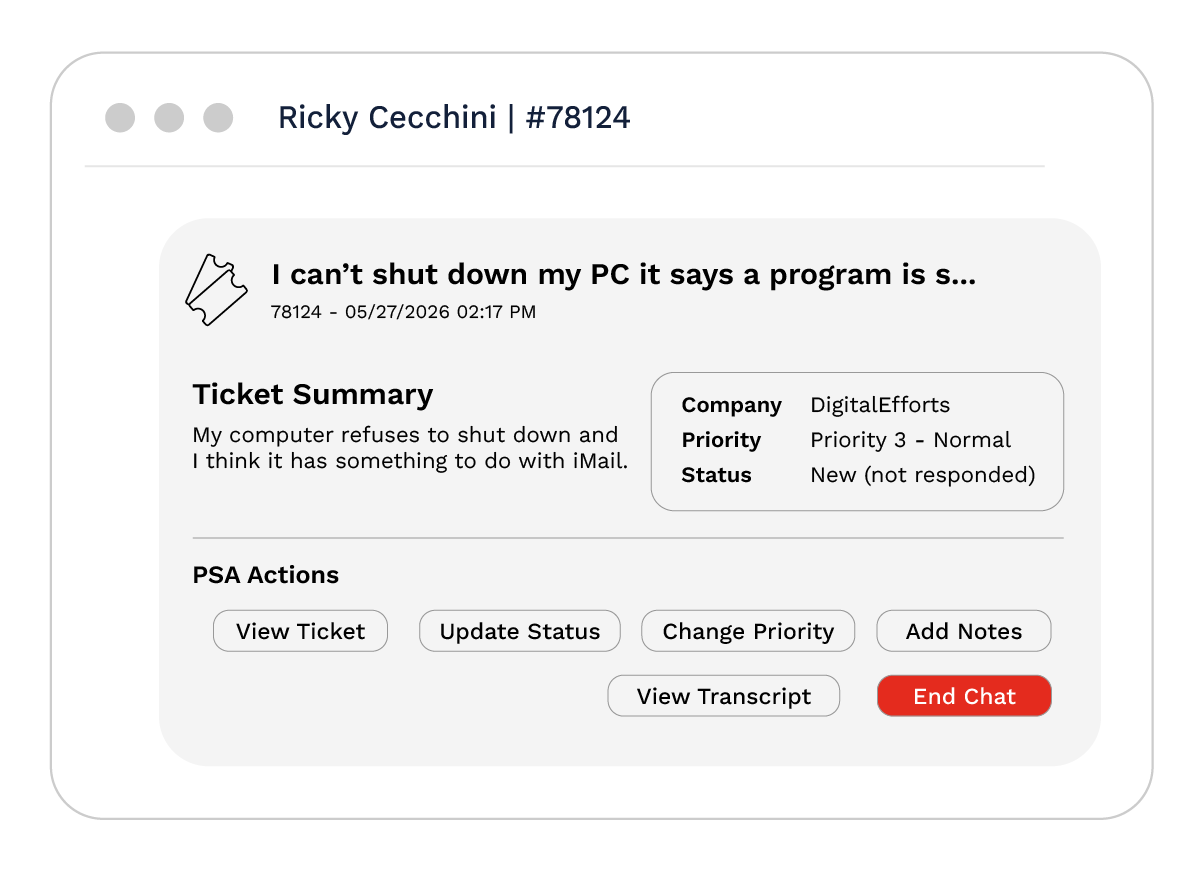
The best implementations do not try to answer the ticket for you or make it disappear. They make sure the right ticket reaches the right technician with the right context already attached, so resolution starts faster and nothing falls through triage.
That distinction is the whole point of this guide. A generic ticketing AI can guess at a category from the words in a message. An MSP triage layer that learns from how your team has actually resolved tickets can do something more useful: enrich the ticket, route it by your rules, and hand your technician the resolution that worked last time. Below is how the pieces fit together and what to evaluate.
Triage is the step between a ticket arriving and a technician starting work. Traditionally a dispatcher reads each incoming ticket, decides what it is and how urgent it is, and assigns it. AI triage does that read-and-decide work automatically: it summarizes the request, sets a category and priority, enriches fields like item and sub-issue and work type, flags spam and duplicates, links related tickets, and routes the ticket to the right queue or technician.
Two boundaries are worth drawing clearly, because they are where evaluations usually go wrong.
Triage is not resolution. Triage gets the ticket to the right person with context. Resolution is a technician (or, for a narrow set of actions, an automation) actually fixing the issue. A triage layer that claims to resolve most tickets on its own is usually counting categorization as resolution, or quietly narrowing what it will handle.
Triage is also not the same as intake. Intake is how the request becomes a ticket in the first place. Triage acts on a ticket that already exists. Most MSP requests still arrive as half-formed messages, so both steps matter, and it helps to evaluate them as two capabilities rather than one.
For an MSP, the useful way to think about this is a short pipeline with two AI-assisted stages.
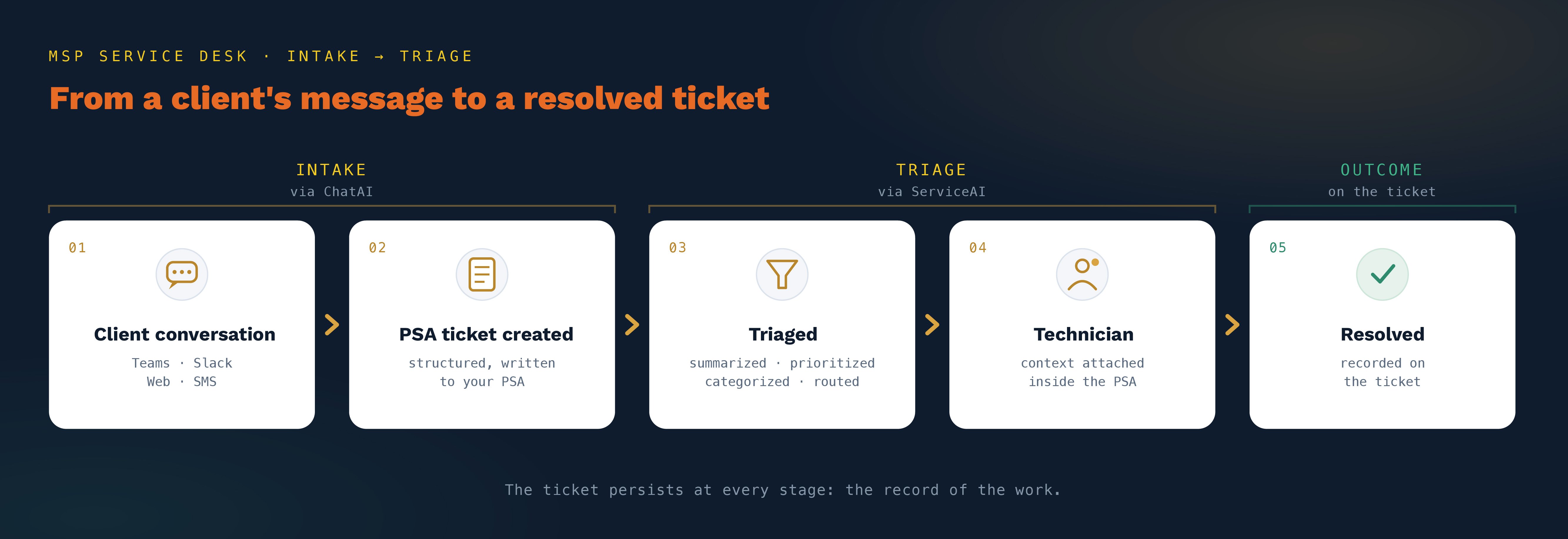
Intake: a conversation becomes a structured ticket. A client describes a problem in the channel they already use, and the system interviews them for the missing detail and writes a clean, structured ticket into the PSA. This is where CloudRadial ChatAI works: it accepts requests through Microsoft Teams, Slack, web, and SMS, asks the follow-up questions a technician would have had to ask, and creates a ticket on every conversation. On its AI tiers it interprets what the user actually meant, so "Outlook is broken" arrives as a categorized, described, technician-ready record rather than a vague one-liner. The reason intake quality matters so much: in CloudRadial usage data, roughly one in four end users cannot reliably tell "Report a Problem" from "Request Service," so a system that structures the request beats one that simply forwards it faster.
Triage: the ticket that now exists gets sorted and enriched. Once a ticket is in the PSA, CloudRadial ServiceAI triages it: it re-summarizes, sets priority, enriches fields, detects spam and duplicates, links related tickets, and routes or assigns based on a mix of your history and rules you write in plain English. Typical triage runs in the range of ten to sixteen seconds per ticket. ServiceAI also gives the assigned technician an assist pod inside the PSA, surfacing a suggested resolution, related past tickets, related documentation, and a confidence score, so the context comes to the technician instead of the technician hunting for it.
The two are distinct products with distinct jobs: ChatAI creates the ticket, ServiceAI sharpens it. Keeping them separate in your evaluation is what stops a vendor from claiming one when they only do the other.
1. Does it create a real PSA ticket from the conversation?
Wherever a client starts a request, in Teams, Slack, a browser, or over SMS, a good intake layer should end with a structured ticket in your PSA, not a message sitting in a separate inbox you now have to watch. Ask whether every conversation produces a ticket, and whether that ticket lands with a category and description already filled in. CloudRadial ChatAI creates a ticket on every conversation and writes it straight into the PSA.
2. Is the triage grounded in your ticket history, or a generic model?
This is the criterion that separates MSP triage from general-purpose service-desk AI. A tool grounded in your own resolved tickets and documentation categorizes and routes the way your team actually works. A tool running a generic model applies patterns learned from everyone else's data. Ask where the intelligence comes from. CloudRadial ServiceAI grounds its answers in your own ticket history and IT Glue documentation rather than a generic public-web query, so its suggestions reflect how you have solved problems for your clients.
3. Does it route by your rules, at the granularity you need?
Routing accuracy is not one number. It depends on whether you can express your own logic. Look for rules you can write in plain language at the global, per-client, and per-user level, covering routing, categorization, assignment, tone, and exclusions such as ignoring RMM alerts from a specific tenant. Look, too, for a triage-only mode, so shops that want a human to keep final say on assignment can use the enrichment without the auto-assignment. CloudRadial ServiceAI supports all of this, including triage-only operation.
4. Does it help the technician resolve, inside the PSA?
Good triage does not stop at routing. The technician who picks up the ticket should get help where they already work, rather than alt-tabbing between the PSA, documentation, and old tickets. Ask whether the tool surfaces suggested resolutions and related context in the ticket view itself. CloudRadial ServiceAI runs an assist pod inside the PSA ticket, feeding the technician a suggested resolution, related tickets, related documentation, and a confidence score.
5. Does it turn resolved tickets into documentation?
Most MSP knowledge lives in resolved tickets and never becomes reusable. According to the 2026 Kaseya State of the MSP Report, the share of MSPs struggling to maintain consistent client documentation rose from 10% to 17% year over year, so this is a widening gap. A triage layer that can draft a knowledge-base article from a resolved ticket, for review and save-back into your documentation, closes some of it. CloudRadial ServiceAI drafts KB articles from tickets and saves them back to IT Glue for review.
6. Is your data isolated, and is it yours?
Ask three plain questions: is each MSP's instance tenant-isolated, is there any cross-tenant learning, and what happens to your data if you cancel. The credible answer is hard isolation, no shared corpus, and deletion on cancellation. CloudRadial ServiceAI is tenant-isolated, learns only from your own ingested data, and deletes that data when a subscription is canceled.
7. Is it honest about what it does not do?
The last criterion is a trust test. Be wary of a tool that claims to resolve most tickets autonomously. The credible pattern is AI that triages and assists and then escalates to a technician with context already captured, not one that pretends to be the technician. CloudRadial ServiceAI triages and assists; it does not close tickets, send messages, or act on systems on its own, and it escalates to your team rather than overclaiming autonomy.
It is worth saying plainly, because some tools in this space measure themselves the wrong way. The goal of AI triage is not to make tickets disappear. The ticket is the record that a client needed something and your team delivered it: it carries your SLAs, your billing, your reporting, and your proof of value. Good triage makes each ticket faster to route and resolve and better documented on the way through. It does not erase the evidence that the work happened.
Two honest expectations help set up a triage rollout well.
On speed, triage itself is a matter of seconds: ServiceAI typically processes a ticket in ten to sixteen seconds, turning two to ten minutes of dispatcher work into something done in under half a minute. On readiness, the intelligence is only as good as the history behind it. ServiceAI works best with roughly six to eighteen months of recent ticket history to learn from; with much less, its suggestions are weaker, and history older than about eighteen months starts to describe processes you have since changed. Plan for an initial PSA ingest and a short onboarding rather than an instant switch-on.
What is AI ticket triage for MSPs? It is the automated step that reads an incoming service ticket and decides what it is, how urgent it is, and who should handle it, then routes it accordingly, in seconds rather than minutes of manual dispatch. For an MSP specifically, the useful version is grounded in your own ticket history rather than a generic model. CloudRadial ServiceAI triages, enriches, and routes existing PSA tickets based on your history and your plain-English rules.
Does AI ticket triage create tickets, or just sort them? Those are two different jobs, and it is worth separating them when you evaluate. Intake creates a ticket from a client's request; triage acts on a ticket that already exists. In CloudRadial's case, ChatAI is the intake layer that turns a Teams, Slack, web, or SMS conversation into a structured PSA ticket, and ServiceAI is the triage layer that summarizes, prioritizes, and routes the ticket once it exists.
How does Microsoft Teams ticketing work for MSP client support? A client sends a message through a Teams app, the system asks follow-up questions to gather context, and a structured ticket is created in the PSA with a category and description already filled in. The technician receives a triage-ready ticket instead of a vague one-liner. CloudRadial ChatAI provides this Teams intake, alongside Slack, web, and SMS.
Does AI ticket triage replace my dispatcher? It does not have to. AI triage can absorb most of the read-categorize-route work a dispatcher does, but many MSPs prefer to keep a human on final assignment. Look for a triage-only mode that enriches and prioritizes tickets while leaving assignment to a person. CloudRadial ServiceAI supports triage-only operation as a configuration choice.
Is my client data used to train a shared AI model? With a well-designed MSP tool, no. Your tickets should ground your own instance through retrieval, not be folded into a shared model trained across other MSPs, and your data should be isolated per tenant and deleted if you cancel. CloudRadial ServiceAI grounds its answers in your own data, keeps each instance tenant-isolated with no cross-tenant learning, and deletes ingested data on cancellation.
How accurate is automated ticket routing? Accuracy depends less on a headline percentage and more on two things: whether the tool learns from your own resolution patterns, and whether you can encode your own routing rules. Both improve results far more than a generic model does. CloudRadial ServiceAI routes based on your ticket history plus rules you write in plain English, and it works best with six to eighteen months of recent history to learn from.
For the broader market context behind where AI is genuinely changing MSP service delivery in 2026, CloudRadial's State of AI in the MSP Industry report is available to download.
@2x.png)
You know the email. "Any update on this?" Four words, and it lands in the inbox of whoever is nearest the service desk.
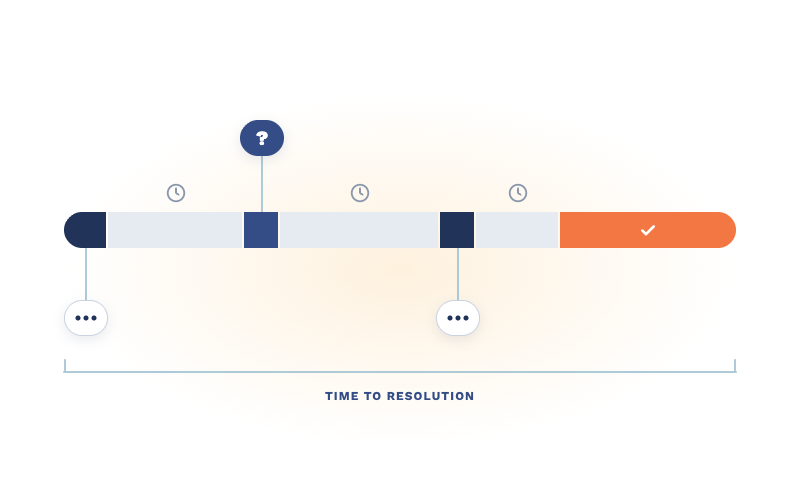
Every MSP has a ticket that reads "new hire starting Tuesday, needs a laptop." It's not wrong. It's just not finished.
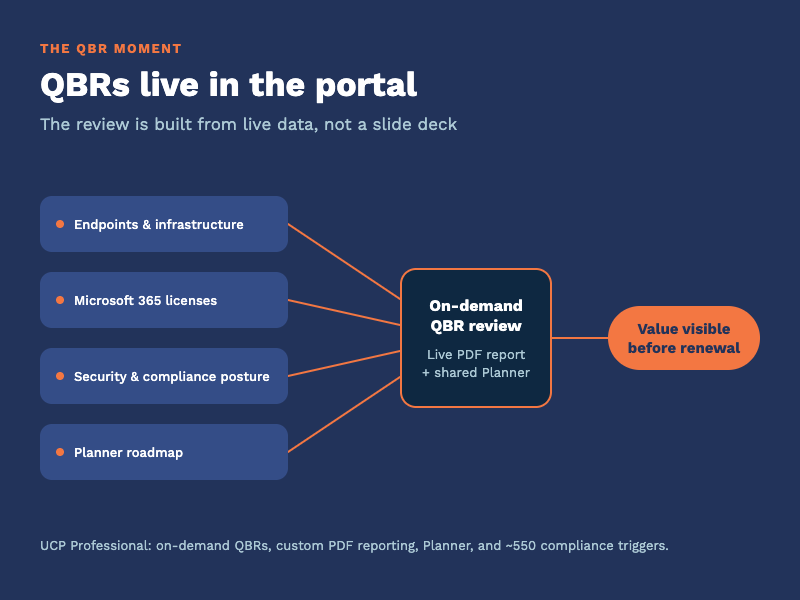
Every quarter you sit across from a client and answer one question, spoken or not: what are we paying you for? The quarterly business review is where...