 CloudRadial
Co-Managed IT: How MSPs and Internal IT Teams Share One Client Experience
Co-managed IT used to be the deal you took when a prospect wouldn't let go of their in-house team. That's not where things stand now. Coverage of the...



Enterprise-grade infrastructure with the flexibility MSPs demand

Perfectly tailored AI that knows your specific MSP

Build your own Shopify-like store with your PSA products & distributors

Have clients to submit tickets directly to your PSA, freeing up your team's time

Pre-triage and route tickets correctly with the help of AI

Everything you need to start automating, no code required.
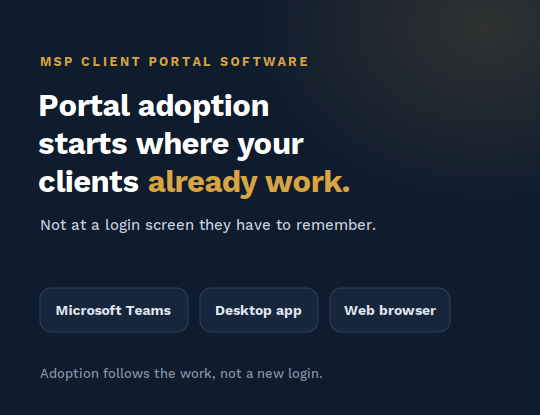
Most MSPs don't have a client portal problem. They have a portal adoption problem. The software gets bought, branded, and switched on, and then something familiar happens: clients don't log in, requests keep arriving by email, and at renewal the portal is the line item nobody can point to as valuable.
If you lead service delivery or operations, you've watched this play out. The instinct is to blame the tool or the design. The more useful move is to change the question you're asking, because portal adoption is not won at the login screen. It's won by where the portal shows up and who has the standing to require it.
This guide covers what portal adoption actually means for an MSP, why client portals stall, and the levers that get them used.
A client portal is the surface where your clients see what you do for them and ask for what they need: tickets and their status, service requests, reports, invoices, and (on the right plan) compliance posture. "Adoption" is the degree to which that surface becomes the default way the relationship runs, instead of an also-ran to email and phone calls.
Here's the distinction that trips teams up. A client portal has two very different kinds of user, and they adopt for completely different reasons:
Most portal adoption strategies fail because they optimize for the second group and then measure the first group's success by the second group's behavior. Fixing that is most of the battle.
Four failure modes account for most stalled portals.
1. They're measured by the wrong metric. The tempting scoreboard is end-user logins, and it's the wrong one. End users don't visit a portal for pleasure; they open it when they have a specific thing to do. Judging a portal by voluntary end-user pageviews guarantees it looks like a failure even when it's quietly doing its job. CloudRadial usage data shows that roughly one in four end users can't reliably tell "Report a Problem" from "Request Service," a good reminder that the end user is not spending idle time learning your portal. Measure the value your client-side admin can see, not the traffic everyone else generates.
2. They're built for the wrong user. A portal designed to delight casual end users tends to under-serve the admin who actually runs the relationship. That admin needs to submit a well-formed request, see the status of open work, pull a report, and answer "how is our IT doing?" for their own boss. When the portal is designed for the person who visits once a quarter instead of the person who manages the account, your account manager stops pushing it, and the whole thing drifts.
3. They ask people to go somewhere new. Every "remember this URL, create this login" step is a tax on adoption. Your real competition is not another portal: it's Outlook. Clients already have an email window open and a habit of firing requests into it. A portal that lives at a separate address is fighting that habit and usually loses. The portals that get used are the ones that show up inside the tools clients already have open.
4. They never get past "failure to launch." This is the big one, and it's rarely about the software's ceiling. A portal ships with real capability, but configuring it into something worth showing a client takes sustained work: PSA connection, tenant integration, branding, request forms, and content. Teams that treat deployment as instant stall in the middle of that setup, and a half-configured portal is one no client will adopt. Failure to launch, not a weak interface, is the most common reason portals go dark.
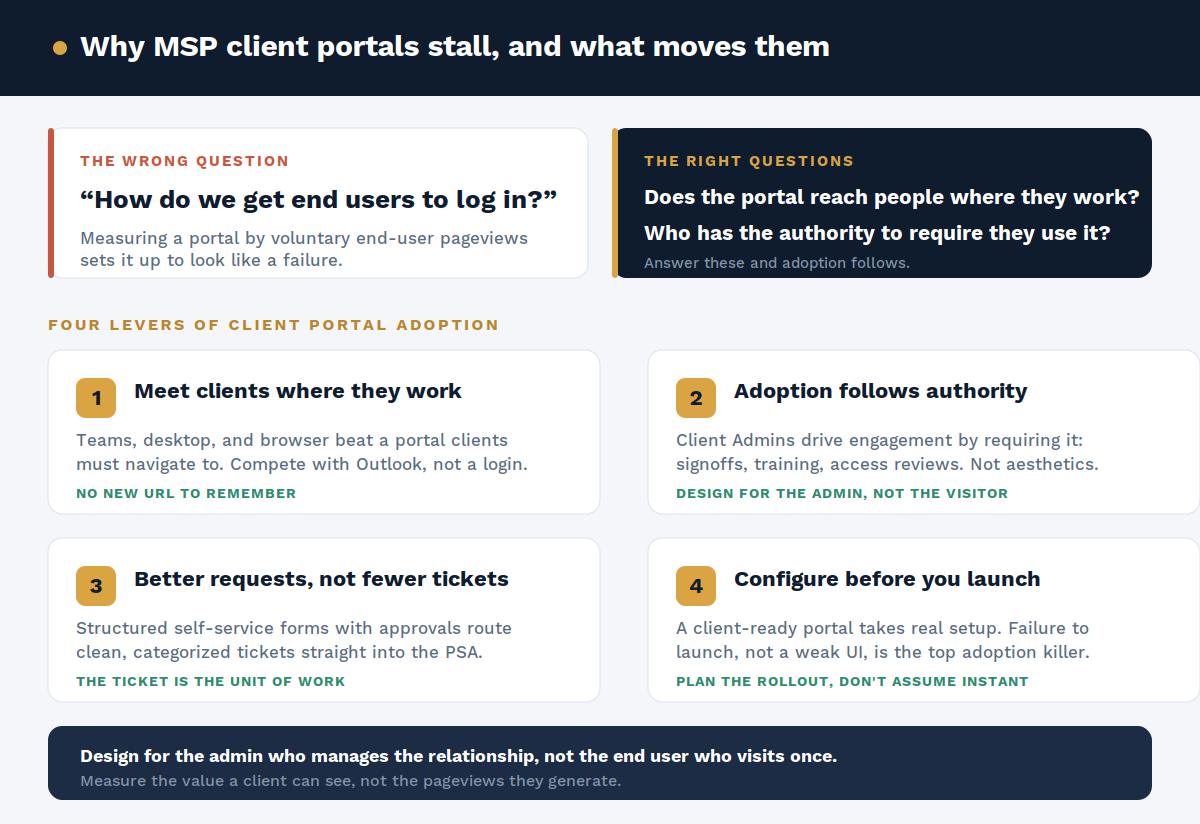
Here's the counterintuitive principle that reorganizes everything above. End users rarely adopt a portal because it's well designed. They engage when someone with authority over their work requires them to: a policy they have to sign, a training they have to complete, an access review or attestation they have to answer.
That authority almost never belongs to you, the MSP. Push end users directly and you look pushy. It belongs to the client-side admin, who has legitimate standing over their own staff. When the portal gives that admin easy ways to require action (signoffs, mandatory training, periodic reviews, announcements), adoption stops depending on enthusiasm and starts riding on authority you can actually activate.
This isn't a CloudRadial-only view. Industry research such as Kaseya's 2026 State of the MSP Report points to client experience and demonstrated value as where renewals are increasingly won or lost, which is precisely what a well-adopted portal makes visible.
So the strategy inverts. Instead of "make end users want to log in," the goal becomes "make the portal indispensable to the admin, and give that admin the levers to compel the rest."
Lever 1: Meet clients where they already work. The best-adopted portals reach clients through the tools already open on their screens: Microsoft Teams, a desktop app, and the browser. The Teams surface is especially strategic because it removes the "new URL" tax entirely. Compete with Outlook as the default "I need IT help" reflex, not with another PSA portal on features.
Lever 2: Let adoption follow authority. Lean on compelled-participation features (policy signoffs, mandatory training, access reviews, BYOD attestations, announcements) so the client-side admin drives engagement through their own authority. Design the depth for the admin who manages the relationship, and design the end-user path to be "saw the prompt, did the one thing, done."
Lever 3: Make requests better, not fewer. A portal's job is not to reduce ticket volume. The ticket is your unit of measurable work: SLAs, billing, reporting, accountability. A portal that "deflects" a request without a ticket hasn't saved you work; it has erased the record that work was needed. The right target is structured self-service: request forms with conditional logic, attachments, and single- or multi-level approvals that route a clean, categorized ticket straight into your PSA. Better tickets, not fewer.
Lever 4: Configure before you launch. Treat the rollout as a project, not a switch. Connect the PSA, integrate each client's Microsoft 365 tenant, brand the portal, build the request forms, and load the content before you put it in front of a client. Provisioning is fast; a client-ready portal takes intentional setup. Budget for it and you avoid the failure-to-launch trap that kills most portals.
If you're rolling out or resetting a portal, a sequence that respects the levers above looks like this:
CloudRadial's Unified Client Portal (UCP) is built around exactly this model. It gives the client-side admin one branded place for tickets, requests, reports, invoices, and the catalog of things they can request, and it reaches clients in a browser, as a desktop tray app, or embedded in Microsoft Teams, so there's no new URL to remember. It integrates directly with ConnectWise Manage, Autotask, HaloPSA, Syncro, and Kaseya BMS, so requests flow into your PSA as structured tickets rather than email.
On the request side, available from the Starter tier, self-service forms carry conditional logic, attachments, and single- or multi-level approvals with per-form PSA routing, so a ticket lands ready for a technician. On the value-visibility side, part of UCP Professional, compliance-posture scoring against roughly 550 partner-customizable triggers, the Planner, custom PDF report building, and on-demand QBRs give the admin something to manage and show, and give your account managers a live surface to run reviews from. Provisioning is quick; a client-ready portal is stood up through a guided onboarding engagement rather than a one-click switch, which is the honest version of "fast."
Portal adoption isn't a design problem to solve at the login screen. It's a strategy: reach clients where they already work, design for the admin who runs the relationship, turn self-service into better tickets, and give the whole thing a real launch. Get those right and the portal becomes the surface your clients actually use, and the reason it's harder to replace you.
See how CloudRadial UCP puts this into practice. Book a demo here
Why don't clients use our MSP portal?
Usually because it's measured and designed for casual end users instead of the client-side admin who runs the relationship, and because it lives at a separate login instead of inside the tools clients already use. Adoption improves when the portal reaches people where they work and gives an admin the authority to require specific actions. In CloudRadial UCP, that means Teams and desktop delivery plus compelled-participation features the admin controls.
How do you measure client portal adoption?
Not by raw end-user logins. Track whether requests are coming through the portal as structured tickets, whether admins are running reports and QBRs from it, and whether compelled actions (signoffs, reviews, training) are being completed. Those reflect real value; pageviews don't.
Does a client portal reduce ticket volume?
No, and it shouldn't try to. The ticket is the record of billable, measurable work. A good portal makes ticket creation easier and the resulting ticket better-structured through forms, approvals, and PSA routing. UCP is built to produce better tickets, not fewer.
Which channels should an MSP client portal support?
Wherever clients already work: the browser, a desktop app, and embedded in Microsoft Teams. Meeting clients in those surfaces is what removes the "new URL" barrier that stalls adoption. UCP delivers through all three.
How long does it take to deploy a client portal?
Provisioning is quick, but a portal worth showing a client takes real configuration: PSA setup, per-client Microsoft 365 integration, branding, request forms, and content. Plan it as a short project with onboarding support rather than an instant switch. Setting that expectation is the single best defense against failure to launch.
@2x.png)
Co-managed IT used to be the deal you took when a prospect wouldn't let go of their in-house team. That's not where things stand now. Coverage of the...
@2x.png)
Ticket triage doesn't get much attention. It's the work between a request showing up and someone actually fixing it, and it's easy to treat as a...
@2x.png)
You know the email. "Any update on this?" Four words, and it lands in the inbox of whoever is nearest the service desk.