Where's My Ticket? How MSPs Answer the Status Question Before Clients Ask
You know the email. "Any update on this?" Four words, and it lands in the inbox of whoever is nearest the service desk.




Enterprise-grade infrastructure with the flexibility MSPs demand

Perfectly tailored AI that knows your specific MSP

Build your own Shopify-like store with your PSA products & distributors

Have clients to submit tickets directly to your PSA, freeing up your team's time

Pre-triage and route tickets correctly with the help of AI

Everything you need to start automating, no code required.
1 min read

Microsoft’s Office 365 Secure Score is a powerful tool that helps every client achieve higher levels of security based on need and industry. It was designed for internal I.T. to understand and apply best security practices to their tenant. However, for MSPs, the Microsoft Secure Score can be an awkward tool that requires numerous logins in client accounts to evaluate and remediate.
With the December update of CloudRadial, we’ve removed much of the hassle surrounding the Microsoft Secure Score. Once you’ve setup your Microsoft credentials, you’ll get a concise view of all of your clients, their overall secure scores, the details of those scores and even links that direct you to the fixes required. With CloudRadial, you’ll have a single view of all of your client’s Office 365 security profiles.

This Secure Score information gets updated each night or can be updated on demand. Secure Score information is provided in CloudRadial for the MSPs benefit and it is not provided directly to clients. However, some of the same factors, such as multi-factor authentication, that drive the overall Secure Score are presented to clients under CloudRadial Policy or Log Ins reporting. Use the information in CloudRadial to drive conversations with clients that supports the business rationale for implement the best practices that Secure Score encourages.
CloudRadial helps you see the complete picture for a client including their Office 365 information. To learn how to put CloudRadial’s Office 365 features to work for your MSP, contact us for a free trial.
@2x.png)
You know the email. "Any update on this?" Four words, and it lands in the inbox of whoever is nearest the service desk.

Every MSP has a ticket that reads "new hire starting Tuesday, needs a laptop." It's not wrong. It's just not finished.
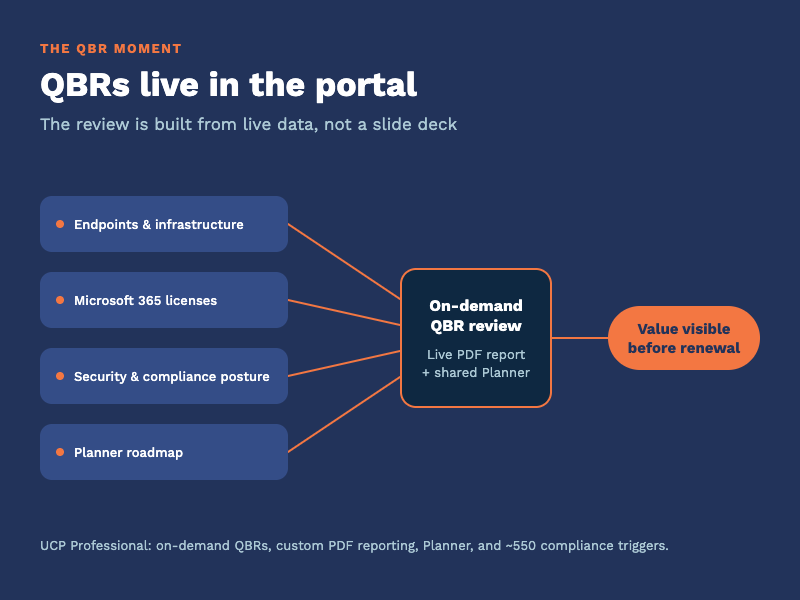
Every quarter you sit across from a client and answer one question, spoken or not: what are we paying you for? The quarterly business review is where...