 CloudRadial
Co-Managed IT: How MSPs and Internal IT Teams Share One Client Experience
Co-managed IT used to be the deal you took when a prospect wouldn't let go of their in-house team. That's not where things stand now. Coverage of the...




Enterprise-grade infrastructure with the flexibility MSPs demand

Perfectly tailored AI that knows your specific MSP

Build your own Shopify-like store with your PSA products & distributors

Have clients to submit tickets directly to your PSA, freeing up your team's time

Pre-triage and route tickets correctly with the help of AI

Everything you need to start automating, no code required.
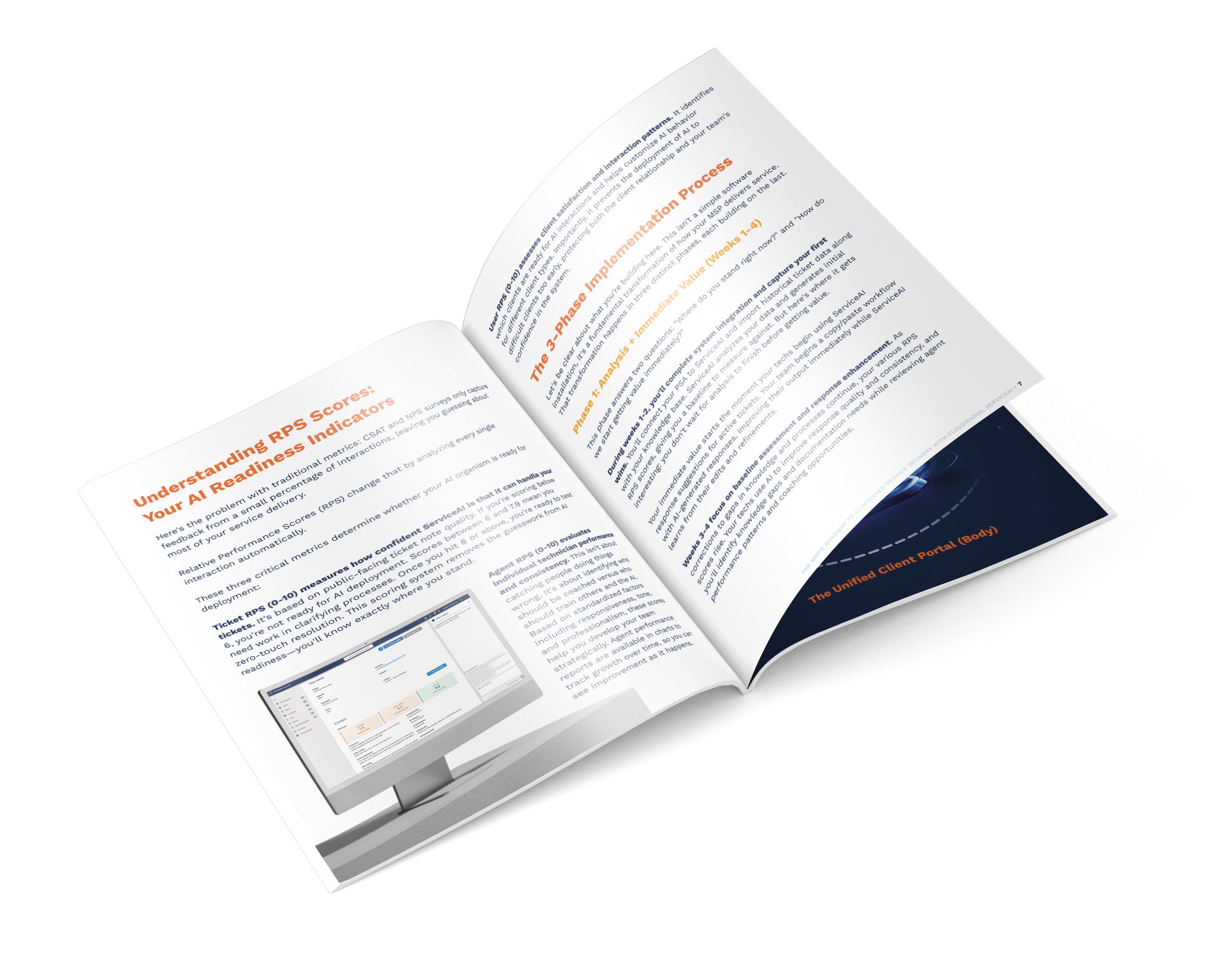
Most AI implementations fail because they're treated like software installations instead of systematic transformations.
You sign the contract, IT sets up the integration, you announce it to the team, and... nothing happens. Or worse, things get messier. Techs ignore the new tool. AI suggestions are unhelpful. Six months later, you quietly abandon it.
Here's the truth: Service desk intelligence takes focused effort, systematic preparation, and sequential deployment. You can't skip steps. You can't rush phases. You can't treat this like installing a new monitoring tool.
But here's the good news: with the right roadmap, you can go from "where do we even start?" to "we have unprecedented visibility into service desk performance and AI-powered technician assistance" in just 90 days.
Not years. Not "eventually." Ninety days.
Here's exactly how to do it.
Start now and download the complete ServiceAI implementation checklist with week-by-week tasks, success criteria, and validation checkpoints.
The 90-day roadmap breaks into three distinct phases, each with specific goals, deliverables, and success criteria.
You cannot skip phases. Each one builds the foundation for the next. Rush ahead, and you'll deploy AI assistance before you're actually ready, damaging team confidence and client experience.
Let's walk through each phase in detail.
This phase answers two critical questions:
Most AI vendors make you wait months before seeing any return. ServiceAI is different. Your team gets value from day one while the system analyzes your operations.
Connect your PSA to ServiceAI. This is the technical foundation. API access, permission configuration, data flow verification. ServiceAI pulls in the last day of tickets on first sync, then continues daily. Back-syncing provides additional historical context for deeper analysis.
Import your knowledge base. Connect IT Glue (API requires IT Glue Enterprise tier, ZIP file import as fallback), Hudu (API with nightly sync), or CloudRadial UCP (API with nightly sync). ServiceAI needs your documentation to provide intelligent suggestions.
Configure the platform with your branding and settings. Make ServiceAI feel like an extension of your MSP, not a third-party tool bolted on.
Create user accounts for all technicians. Everyone who works tickets needs access. ServiceAI tracks Agent RPS scores for each technician, providing performance insights you've never had before.
Train your team on using Orion Assistant. This is where immediate value starts. Orion is ServiceAI's AI assistant that helps technicians directly inside their PSA tickets—appearing as a pod in ConnectWise, insights panel in Autotask, or panel in Zendesk. For HaloPSA, Syncro, and Kaseya BMS users, Orion runs side-by-side with the PSA.
What Orion does:
What Orion does NOT do:
Here's what this looks like in practice: Tech opens a ticket about a password reset. Orion analyzes the ticket and suggests a response based on your historical data and documentation. Tech reviews the suggestion, edits it to add client-specific context, and sends it. Total time: 30 seconds instead of 5 minutes.
Your techs aren't writing responses from scratch anymore. They're editors, not authors. Faster responses. Higher consistency. Immediate improvement.
Technicians rate responses. After using a suggestion, techs can rate it (good/okay/bad). The AI first rates itself based on confidence level. Technicians can override this rating to flag chats needing attention. Service desk managers review flagged items, which leads to improvements in how the AI handles situations—making it better over time.
ServiceAI calculates your initial RPS scores. You get baseline measurements across all four dimensions:
Ticket RPS (0-10): Measures the AI's estimation of automation ability based on available historical context. High scores indicate good contextual coverage with strong notes. Low scores reveal context gaps—complex issues with little explanation of resolution approach.
Agent RPS (0-10): Evaluates technician performance based on communication quality, resolution patterns, and interaction quality. High scores indicate strong performers with consistent quality, empathy, and responsiveness. Low scores suggest technicians who may need coaching.
User RPS (0-10): Assesses end-user sentiment and communication patterns across their tickets. High scores indicate positive interactions. Low scores reveal frustrated users who may need extra human attention.
Article RPS (0-10): Measures documentation quality combining readability, AI crawlability, and completeness. High scores mean your documentation is AI-ready. Low scores indicate articles needing improvement.
Score Thresholds:
Your techs continue using Orion for response improvement. Target: 50% or more of tickets get AI assistance. You're building adoption while Orion learns from edits and refinements.
Track improvement in response time and consistency. This is your first measurable benefit. Faster ticket resolution. More consistent communication. Better client experience.
ServiceAI generates gap analysis recommendations. It identifies missing knowledge base articles, inconsistent processes, and documentation needs. You get a prioritized list of exactly what to improve based on low Ticket RPS scores.
Analyze individual technician scores. Use Agent RPS to identify who's performing consistently, who needs coaching, and who should be training others. This isn't about blame—it's about strategic development with objective data.
Use the Dashboard. Review RPS score gauges for all four dimensions. Identify flagged tickets and articles requiring attention. Analyze score distribution visualization. Use time-based settings to look at historical scoring records.
Before moving to Phase 2, you must achieve:
If you haven't hit these marks, don't move forward. Fix adoption issues or data problems first.
This is where you transform ServiceAI from "helpful assistant" to "intelligent expert."
You're filling knowledge gaps identified in Phase 1. You're training the AI on your specific processes. You're customizing behavior for different clients. You're building the intelligence foundation that makes AI assistance truly valuable.
Generate articles from low-RPS tickets. When you see tickets with poor Ticket RPS scores (context gaps or inadequate documentation), click "Generate Article" directly from the ticket view. ServiceAI creates a draft based on ticket content. Edit and refine in-browser, then save to ServiceAI or export to your external knowledge base.
Improve existing articles using Article RPS insights. ServiceAI provides readability and grammar scoring (1-10 scale) for individual articles plus overall Article RPS. Use the "Rewrite" functionality for AI-assisted improvements. The system detects similar articles to prevent redundancy.
Leverage the Idea Library. Access pre-built Microsoft 365 templates to quickly build common documentation.
Configure client-specific behavior rules. Client A prefers technical details. Client B needs simplified language. Client C wants every response to include specific escalation information. Configure custom chat rules that define how AI responds to different clients.
Set individual user-level preferences. British spelling for UK contacts. Concise responses for executives. Specific formatting for certain users. Company and user-specific customizations make AI responses contextual rather than generic.
Verify techs are seeing improved AI responses. As your knowledge base grows and Article RPS improves, Orion suggestions should get noticeably better. Rising Ticket RPS scores indicate your documentation work is paying off.
Use the AI Chat Sandbox extensively. This is your safe testing environment before exposing AI to real operations.
What the Sandbox allows:
Battle-test AI responses until you're confident in quality. If responses aren't quite right, figure out why. Missing documentation? Unclear processes? Inconsistent historical data? Fix the root cause, not just the symptom.
Set up Ticket Triage. Configure plain-language rules for:
Critical: Use Testing Mode first. Observe AI triage behavior without actually modifying tickets in your PSA. Validate rules, logic, and potential actions before going live.
Monitor RPS score improvements. As you fill documentation gaps and refine rules, watch your Ticket RPS and Article RPS scores rise. This quantifies your improvement work. Target: Ticket RPS at 8+ for your most common ticket types.
Train your team on AI-assisted workflows. By now, your techs should be comfortable with Orion. They trust the suggestions. They know when to accept, edit, or override them. They understand how their ratings help improve the system.
Before moving to Phase 3, you must achieve:
This is your quality gate. If Ticket RPS scores aren't at 8+ for common ticket types, you're not ready for full deployment. Keep improving documentation and testing.
Phase 3 activates everything you've built and establishes ongoing optimization processes. ServiceAI becomes embedded in daily operations.
Expand Orion Assistant usage to all technicians. If you started with a pilot group, now roll out to everyone. For ConnectWise, Autotask, and Zendesk users, Orion appears directly in tickets. For HaloPSA, Syncro, and Kaseya BMS users, Orion runs side-by-side with the PSA.
Every technician now has AI assistance for every ticket based on YOUR documentation, YOUR ticket history, and YOUR custom rules.
Activate Ticket Triage. Turn off Testing Mode and let ServiceAI automatically process incoming tickets. Dispatchers spend less time on repetitive routing and categorization. Priority tickets get flagged immediately. Spam gets filtered before consuming technician time.
Monitor adoption metrics. Ensure technicians are actively using Orion suggestions. Track what percentage of tickets receive AI assistance. Identify any resistance or adoption barriers.
Establish regular RPS monitoring. Review dashboard weekly for score trends across all four dimensions. Identify flagged tickets and articles requiring attention. Use time-based settings to analyze historical scoring records and track improvement over time.
Leverage Agent Performance insights. Generate on-demand performance reports that break down agent responses by empathy, de-escalation, technical understanding, responsiveness, and more. Get AI-generated coaching tips and management recommendations for each technician. Track individual Agent RPS scores and trends to measure professional development.
Use Company Analytics strategically. Review client-level RPS scores to understand which clients consume the most resources. Analyze ticket volume and complexity patterns by client. Track user sentiment trends. Use company-specific AI Analysis for root cause analysis of individual client issues rather than across your entire service desk.
Deploy Public Chat Assistant (Enterprise tier only, if applicable). Configure the public-facing chat interface powered by ServiceAI's global ruleset and knowledge base. Embed on your website, Microsoft Teams channels, or support pages for 24/7 self-service.
Use AI Analysis Tab. Conduct root cause analysis across tickets. Identify trends by category, common words, and products. Use customizable time periods and "Ask AI" functionality for deeper exploration of patterns.
Establish ongoing optimization processes. ServiceAI requires continuous improvement to maintain and increase value. Schedule weekly monitoring tasks and monthly strategic reviews.
By the end of 90 days, you should achieve:
You might be tempted to skip Phase 2 and jump straight to full deployment. After all, your techs are already using Orion—why not just roll it out to everyone immediately?
Here's why: Deploying before reaching 8+ Ticket RPS scores means AI suggestions won't be consistently helpful. Your technicians will lose confidence in the system. You'll damage adoption before you've built a proper foundation. Recovery from this mistake takes months.
The sequential approach works because each phase builds knowledge that enhances the next:
Phase 1 establishes your baseline, reveals gaps, and creates immediate technician adoption with early value.
Phase 2 systematically fills those gaps, raises RPS scores to deployment-ready levels, and builds team confidence through sandbox validation.
Phase 3 deploys validated AI assistance across all operations and establishes the ongoing improvement processes that keep the system getting smarter.
Skip a phase, and you break the learning cycle. Rush deployment, and you undermine confidence in the entire system.
ServiceAI enables metrics that traditional service desk tools can't provide:
Service Desk Health Metrics:
Technician Performance Metrics:
Documentation Quality Metrics:
Operational Efficiency Metrics:
Client Intelligence Metrics:
By day 90, here's what's different:
Your techs operate with unprecedented support. Junior techs access senior-level expertise through Orion suggestions based on your best historical resolutions. Senior techs spend less time explaining routine solutions and more time on complex, interesting problems.
You have visibility you never had before. Agent RPS scores show exactly who's performing well and who needs coaching. User RPS reveals which clients are frustrated before they escalate. Ticket RPS identifies which issue types need better documentation. Article RPS shows which knowledge base articles need improvement.
Your service desk operates more efficiently. Technicians respond faster with AI assistance. Triage automates routing and categorization. Consistent quality improves across the team. Documentation gaps get systematically filled rather than randomly discovered.
Your coaching conversations have objective data. Instead of "I feel like you could be more responsive," you say "Your Agent RPS shows opportunity to improve response time—let's look at specific examples and work on this together." Performance development becomes systematic rather than anecdotal.
Your documentation becomes an asset. Rising Article RPS scores prove your knowledge base is improving. AI-assisted article generation captures institutional knowledge before senior techs leave. Documentation quality directly correlates with better AI suggestions.
This isn't just productivity improvement. This is operational intelligence that gets smarter with every ticket processed.
The 90-day roadmap is proven. MSPs following this sequential approach achieve:
The question isn't whether this works. The question is whether you'll commit to the full 90 days—no shortcuts, no skipped phases, no rushing deployment before RPS scores indicate you're ready.
Service desk intelligence takes focused effort. But 90 days of focused effort beats years of hoping generic AI tools somehow deliver results.
Download the complete implementation checklist with week-by-week tasks, success criteria, and validation checkpoints.

@2x.png)
Co-managed IT used to be the deal you took when a prospect wouldn't let go of their in-house team. That's not where things stand now. Coverage of the...
@2x.png)
Ticket triage doesn't get much attention. It's the work between a request showing up and someone actually fixing it, and it's easy to treat as a...
@2x.png)
You know the email. "Any update on this?" Four words, and it lands in the inbox of whoever is nearest the service desk.