MSP Request Forms that Produce Complete Tickets, Not Follow-Up Emails
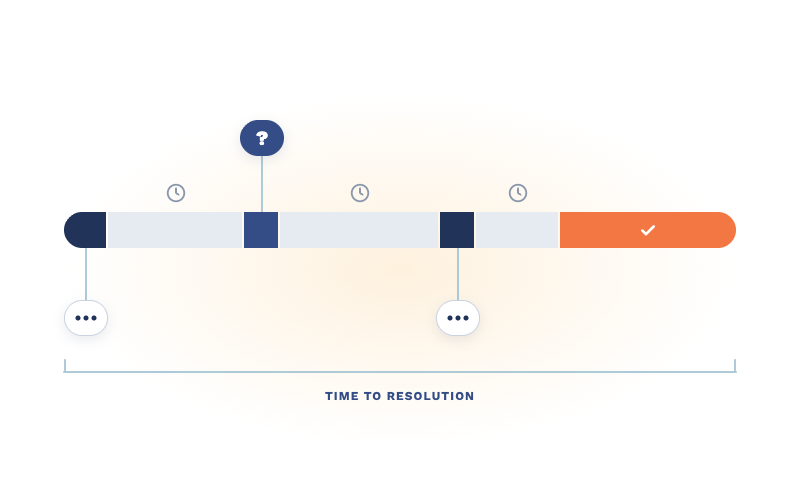
Every MSP has a ticket that reads "new hire starting Tuesday, needs a laptop." It's not wrong. It's just not finished.




Enterprise-grade infrastructure with the flexibility MSPs demand

Perfectly tailored AI that knows your specific MSP

Build your own Shopify-like store with your PSA products & distributors

Have clients to submit tickets directly to your PSA, freeing up your team's time

Pre-triage and route tickets correctly with the help of AI

Everything you need to start automating, no code required.
6 min read
Here's something the AI vendor pitch decks won't tell you: most AI deployments that underperform aren't technology failures. They're preparation failures.
The MSP that turns on AI for ticket triage and support resolutions and then gets garbage results in return doesn't have an AI problem. They have a data problem, a documentation problem, a process problem, or all three. AI doesn't invent intelligence out of thin air. It learns from your environment — your ticket history, your knowledge base, your workflows. And if that environment is a mess, AI will faithfully reflect every bit of that mess right back at you, faster and at scale.
That's not a reason to avoid AI. It's a reason to get your house in order before you invite it in.
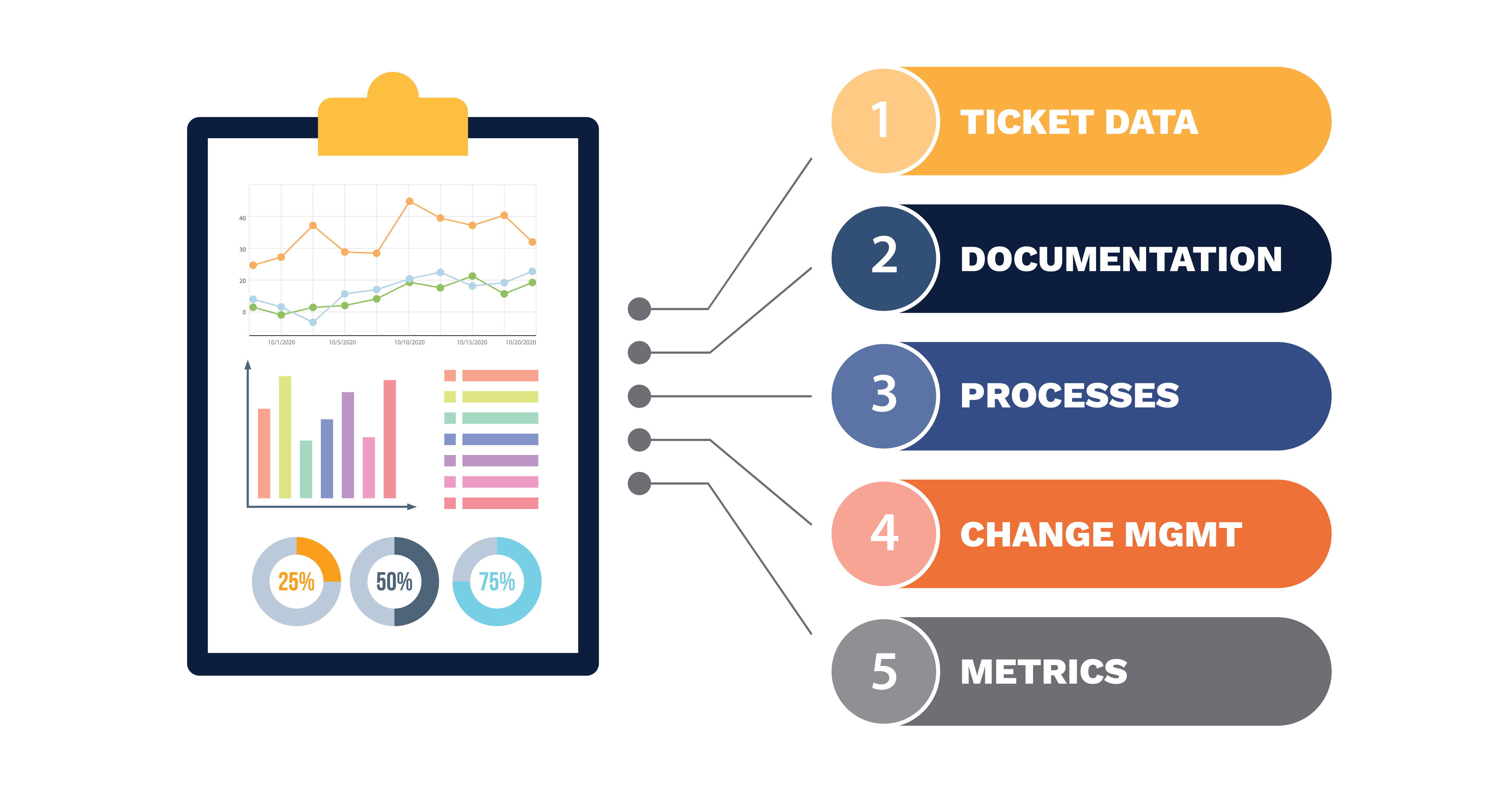
This checklist isn't about buying the right tools or picking the right vendor. It's about the five foundational issues that determine whether AI actually works once you deploy it. Fix these first and AI has something real to work with. Skip them and you'll spend months blaming the technology for problems that were already there.
Nobody wants to do this audit. It's tedious, it's unglamorous, and it forces you to confront years of accumulated bad habits. But your ticket data is the single most important input AI has to work with, and most MSPs have never looked at it critically.
Here's what "dirty" looks like in practice. Vague ticket subjects like "issue" or "help" or "not working" that tell AI nothing about what's actually going on. Inconsistent categorization where the same problem gets filed under three different categories depending on which tech touched it. Duplicate categories that mean the same thing but were created by different people at different times. Priority levels that are used so inconsistently they've lost all meaning — everything is "high" because somebody decided that gets faster attention.
AI learns from patterns in your ticket history. If the patterns are incoherent, the AI's triage and routing decisions will be incoherent too.
Getting to "clean enough" doesn't mean reclassifying 10,000 old tickets. It means standardizing going forward.
Consolidate duplicate categories. Write clear definitions for each priority level and enforce them. Require meaningful ticket subjects. Make sure the fields AI will use — category, priority, type, client — are consistently populated. You don't need perfection. You need enough consistency that AI can find real patterns instead of noise.
Every MSP has a knowledge base. The question is whether it's a living resource or a graveyard of good intentions.
Open yours right now and pick a random article. When was it last updated? Does it reference tools you still use? Does it describe the process your team actually follows today, or the process someone documented two years ago before you changed RMM platforms? If you're being honest, the answer is probably uncomfortable.
AI can only surface and recommend documentation that exists and is accurate. It can't invent solutions from knowledge you never captured. And it definitely can't tell the difference between a current procedure and one that will send a tech down a path that hasn't been valid since 2023.
Here's a practical way to tackle this without boiling the ocean.
Pull your top twenty ticket categories by volume. For each one, check whether a current, accurate knowledge base article exists. Not an article that sort of addresses the topic — one that a tech could follow today and resolve the issue correctly. You'll likely find that half of your highest-volume categories have either no documentation, outdated documentation, or documentation so vague it's effectively useless.
That gap list is your priority. Fill the biggest holes first and you'll give AI dramatically more to work with on day one. Everything else can be addressed over time as part of an ongoing documentation practice, especially if you use AI-assisted documentation tools to help generate articles from resolved tickets going forward.
Try this exercise: ask three of your technicians how they handle a standard password reset. Then ask them what distinguishes an "urgent" ticket from a "high priority" ticket. Then ask them when a ticket should be escalated versus when they should keep working it.
You will get different answers from each one. That's not because your techs are bad at their jobs. It's because the processes live in people's heads instead of in documented, enforced policy. Everyone developed their own version over time, and it works well enough that nobody noticed the inconsistencies.
AI notices. AI needs defined rules and consistent patterns to triage, route, and suggest resolutions effectively. If your escalation criteria are different depending on who's working the ticket, AI can't learn a reliable escalation model. If categorization depends on individual interpretation, AI's categorization will be just as inconsistent as your team's — except now it's inconsistent at machine speed.
The processes that matter most to standardize before AI deployment are triage criteria (what makes a ticket urgent, high, medium, or low), escalation paths (when does a ticket move up and to whom), categorization definitions (what goes where and why), and SLA thresholds (what triggers a breach and what actions follow).
You're not aiming for a two-hundred-page operations manual. You're aiming for enough documented consistency that AI has a reliable framework to operate within. If three techs can read your triage criteria and arrive at the same priority for the same ticket, you're in good shape.
This is the readiness item that every technically-focused AI checklist leaves out entirely. And it's the one that derails more deployments than bad data and broken processes combined.
Your technicians are about to experience a real shift in how they work. Tickets will arrive pre-triaged and pre-categorized. Suggested resolutions and knowledge base articles will appear alongside tickets they open. Their routing decisions might be handled before they even see the queue. And in many cases, their performance will become more visible through AI-driven analytics and scoring.
If the first time your techs hear about any of this is the day you turn it on, you've already lost them. They won't trust it. They'll interpret it as surveillance. They'll see pre-triaged tickets and wonder if they're next to be automated away. And they'll resist it quietly — overriding suggestions, ignoring surfaced documentation, working around the system in ways that make your pilot data worthless.
People readiness isn't a soft skill afterthought. It's a deployment prerequisite.
What needs to happen before you go live: have a direct conversation with your team about what's coming and why. Be specific about what AI will and won't do. Address the replacement fear honestly — AI is handling the triage and context-gathering grunt work so techs can focus on solving problems, not sorting a queue. Involve techs in evaluating AI during a pilot phase so they feel ownership over the process rather than having it imposed on them. And set expectations clearly that early performance will be imperfect and their feedback is the mechanism that makes it better.
A team that feels included in the rollout will invest in making it work. A team that feels it was done to them will quietly ensure it doesn't.
This is the most overlooked readiness step and arguably the most damaging to skip.
Ask yourself: can you say with confidence what your average triage time is right now? Your first-contact resolution rate? Your ticket reopen percentage? The average number of times a ticket gets reassigned before it lands with the right tech? Your resolution time broken down by category?
Most MSPs know roughly how things feel. Triage feels slow. Resolution times feel okay. Client satisfaction feels decent. But feelings aren't metrics. And when you deploy AI, "it feels like things are better" isn't going to carry weight with your leadership team, your business partner, or frankly yourself when renewal time comes around and you need to justify the investment.
Without a baseline, AI success becomes a matter of opinion. And opinions are where teams divide, budgets get questioned, and promising initiatives die slow deaths in quarterly reviews.
Before you deploy anything, capture your current numbers. Average time from ticket creation to first human response. Percentage of tickets routed correctly on the first try. Escalation rates. Resolution times by category. Tech utilization across your team. SLA compliance by client.
These don't need to be precise to the decimal. They need to exist. Because in 60 and 90 days, when you're evaluating whether AI is delivering value, you need something real to compare against — not a memory of how things used to feel.
One more thing before you start working through this checklist. Take a minute and ask yourself why you're deploying AI in the first place.
If the answer is "a vendor told me it would fix everything," pause. If it's "I saw a competitor mention it on LinkedIn and panicked," pause. If it's "my team is drowning in ticket volume and I need them solving problems instead of sorting queues," keep going.
AI amplifies what you already have. If you have solid processes, reasonably clean data, decent documentation, and a team that's been brought into the conversation, AI accelerates you. It makes your good things better and your fast things faster. But if the foundation isn't there, AI amplifies the dysfunction instead. Faster routing into broken processes. Surfaced documentation that's outdated. Analytics that expose problems nobody's prepared to address.
This checklist isn't busywork. It's the difference between deploying AI that delivers real operational value and deploying AI that confirms every skeptic's suspicion that the technology isn't ready.
The technology is ready. The question is whether your MSP is.
If you want to see what AI looks like when it has a solid foundation to work with, ServiceAI was built specifically for MSP environments — designed to work with your PSA data, your documentation, and your service desk workflows. But it'll work a lot better if you fix these five things first.
If you're already feeling ready to move forward, our complete guide to AI-powered service delivery covers what the full implementation looks like once your foundation is in place.

Every MSP has a ticket that reads "new hire starting Tuesday, needs a laptop." It's not wrong. It's just not finished.
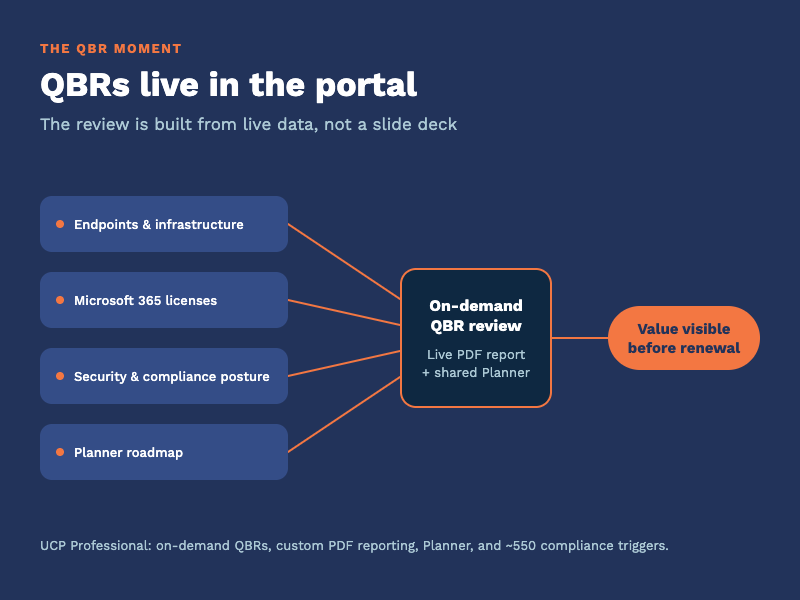
Every quarter you sit across from a client and answer one question, spoken or not: what are we paying you for? The quarterly business review is where...
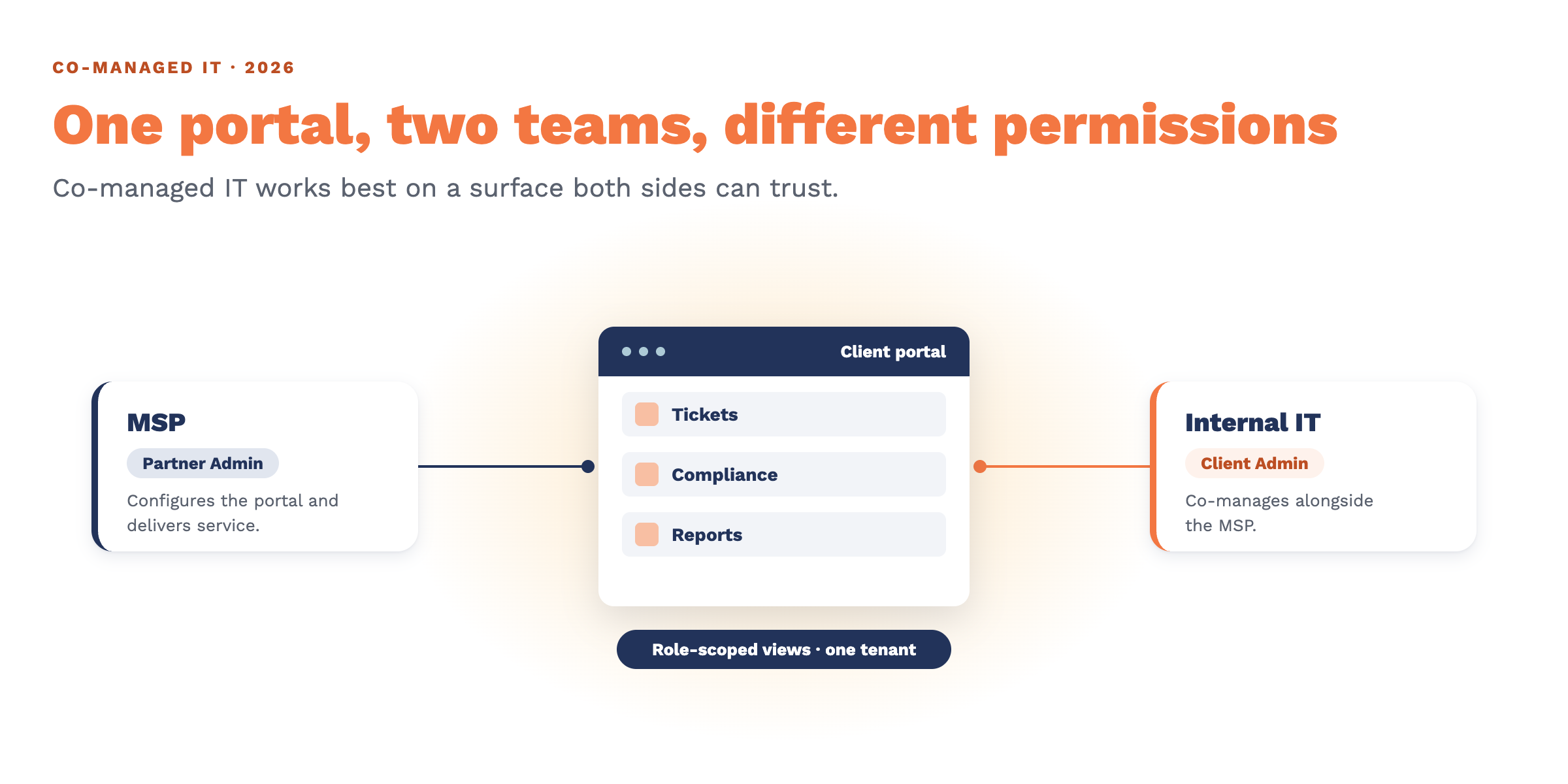
Co-managed IT is one of the fastest-growing shapes an MSP relationship can take, and it breaks a quiet assumption most service desks are built on:...