 CloudRadial
Co-Managed IT: How MSPs and Internal IT Teams Share One Client Experience
Co-managed IT used to be the deal you took when a prospect wouldn't let go of their in-house team. That's not where things stand now. Coverage of the...




Enterprise-grade infrastructure with the flexibility MSPs demand

Perfectly tailored AI that knows your specific MSP

Build your own Shopify-like store with your PSA products & distributors

Have clients to submit tickets directly to your PSA, freeing up your team's time

Pre-triage and route tickets correctly with the help of AI

Everything you need to start automating, no code required.
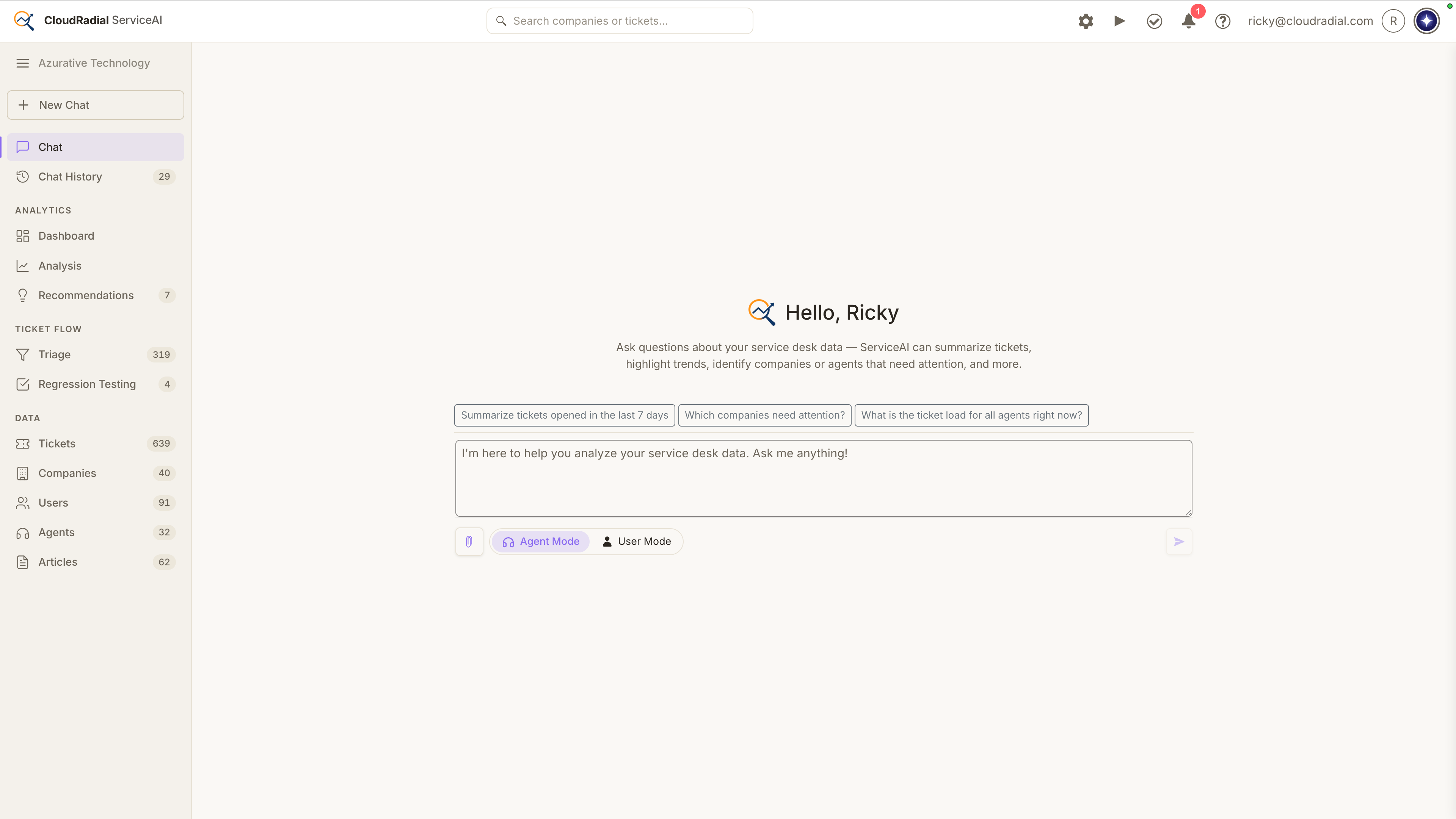
Today, ServiceAI v2.0 ships. It's not just a feature drop; it’s a rethink of how AI fits into the actual rhythm of your service desk.
The core question we kept asking ourselves: Where does AI slow techs down, and where can it genuinely get out of the way? Version 2.0 is our answer.
The workflow is reorganized around three principles: faster insight delivery, smarter in-PSA assistance, and a configurable app layer that puts your team in control. Here's what that looks like in practice.
ServiceAI v2.0 reorganizes everything around three concepts that work together:
Triage and Fast Feedback now post AI-generated internal notes directly back to your PSA — summaries, suggested responses, related tickets, and related KB articles — without requiring a tech to open a separate pod or wait on an AI turn. The insight arrives with the ticket.
The Pods are rebuilt as action-oriented workspaces. Instead of a one-shot AI answer, the in-PSA pod now runs every interaction through the same agentic, search-augmented workflow that powers chat — following up with related context, surfacing the right KB articles, and giving techs quick-action buttons they can configure for their specific service desk needs. It's less "ask AI a question" and more "AI working alongside you while you work the ticket."
The ServiceAI App is the integration, customization, and reporting layer that ties it all together, giving admins the controls they need to tune AI behavior per tenant, per PSA, and per workflow.
Explore the full ServiceAI platform and see how v2.0 fits your service desk
This is the one a lot of you have been waiting for. The full ServiceAI in-PSA experience — AI ticket summary, related tickets, related KB articles, and quick-action prompts — now ships for HaloPSA, themed natively to the Halo interface. Per-tenant Pod Quick Actions are configurable for every supported PSA under Settings → AI Behavior.
ConnectWise, Autotask, and Zendesk also get the upgraded agentic pod in this release. If your techs have noticed the AI giving better, more contextual answers in chat than in the pod, that gap is now closed.
The fast-feedback note that ServiceAI posts back to your PSA after triage has always been useful. Now it's genuinely actionable. The briefing now includes direct links to related tickets and related KB articles using your PSA's own URLs so techs can jump straight to the source without copying and pasting anything.
And because Agent Mode Rules from Settings → Rules now shape the wording of the briefing itself, the coaching guidance you've already configured for chat carries through to the post-triage note. One place to set the standard, consistent output across every touchpoint.
Triage auto-responses now run through the same dynamic-query workflow as chat, which means a client asking through a triaged ticket gets the same quality of AI-assisted answer as one asking through your chat page. No more two-tier experience depending on how a client reaches out.
Admins can now also customize the wrapper template applied around AI-drafted public responses, using a 0 placeholder with a one-click Restore default option. Find it under Triage Settings → Fast Feedback.
In v2.0, Chat is your home page. Sidebar history is grouped for easier navigation, conversations are persona-aware, and you can star the companies and users you work with most as Favorites.
Settings → Usage adds a monthly credits display, per-model usage breakdown, and a credits overview widget so you can see exactly what's being used and where. A new help icon in the header opens a quick-access blade for docs and support. And the AI Chat button on Ticket Details now lets techs switch between Agent and User mode on the fly.
This release also addresses several under-the-hood issues: spam-confidence display inconsistencies in the Triage grid and PSA notes, broken internal KB article links in fast-feedback notes, and server-side timeout improvements that reduce transient slowdowns under heavy AI load.
ServiceAI has always been about reducing the cognitive overhead of the service desk: helping techs move faster, respond better, and spend less time on the work that shouldn't require their attention. Version 2.0 extends that goal deeper into the PSA, across more platforms, and with more configurability than any previous release.
HaloPSA support alone has been one of our most-requested items. The agentic pod upgrade closes a gap techs have noticed for months. And the fast-feedback briefing improvements make the AI's output more directly useful at the moment a ticket lands.
This is what building AI for MSPs actually looks like: not a demo feature, but tooling that earns a permanent place in your workflow.
Questions about what's new or how to configure it for your team? Reach out to your CloudRadial account team or visit the Help center from the new sparkle icon in the ServiceAI header.
Whether you're already using ServiceAI or evaluating it for the first time, a personalized demo gives you a real look at how the agentic pod, HaloPSA support, and smarter triage briefings work inside your PSA and your workflows.
Every MSP's service desk is different, and we'll show you exactly how v2.0 fits yours. Book a demo today and see what AI-powered service delivery looks like when it's built for the way you actually work.
@2x.png)
Co-managed IT used to be the deal you took when a prospect wouldn't let go of their in-house team. That's not where things stand now. Coverage of the...
@2x.png)
Ticket triage doesn't get much attention. It's the work between a request showing up and someone actually fixing it, and it's easy to treat as a...
@2x.png)
You know the email. "Any update on this?" Four words, and it lands in the inbox of whoever is nearest the service desk.