 CloudRadial
Where's My Ticket? How MSPs Answer the Status Question Before Clients Ask
You know the email. "Any update on this?" Four words, and it lands in the inbox of whoever is nearest the service desk.



Enterprise-grade infrastructure with the flexibility MSPs demand

Perfectly tailored AI that knows your specific MSP

Build your own Shopify-like store with your PSA products & distributors

Have clients to submit tickets directly to your PSA, freeing up your team's time

Pre-triage and route tickets correctly with the help of AI

Everything you need to start automating, no code required.
Picture this: you send out CSAT surveys after tickets close, and maybe you track NPS quarterly. You get back responses from 15-20% of your clients. The scores look decent. You feel pretty good about your service delivery.
Then you deploy AI, and it's a disaster. Clients complain. Your team loses confidence. You pull it back and wonder what went wrong.
Here's what went wrong: you deployed AI based on incomplete data from a tiny sample of interactions, and you had no idea whether your service delivery was actually consistent enough for AI to learn from.
CSAT and NPS surveys only capture feedback from clients motivated enough to respond—usually the very happy or very unhappy ones. You're flying blind on 80% of your service delivery, making critical AI deployment decisions based on a biased sample.
Relative Performance Scores (RPS) change everything by analyzing 100% of your service delivery automatically.
Not surveys. Not samples. Every ticket. Every interaction. Every technician response.
RPS gives you three critical metrics that determine whether your AI organism is ready for deployment. And more importantly, tells you exactly what to fix if you're not ready.
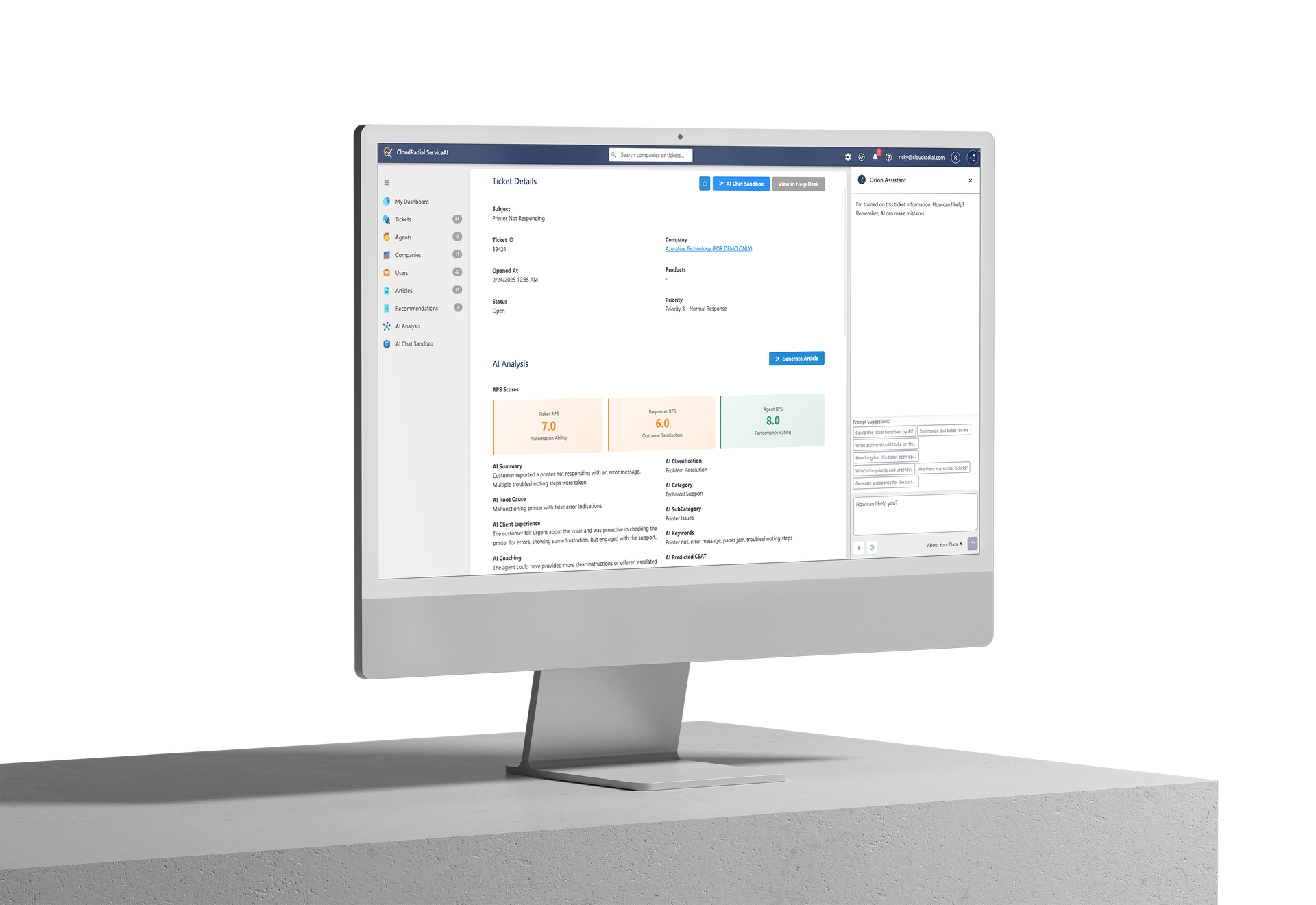
Ticket RPS measures ServiceAI's confidence in providing helpful assistance for your tickets based on the quality of your historical ticket data.
It analyzes your ticket notes—both internal and client-facing responses—evaluating clarity, completeness, consistency, and whether responses follow logical troubleshooting processes. The better your historical documentation, the better ServiceAI can assist technicians with similar future tickets.
Here's what the scores mean:
Your ticket responses show significant gaps in context, documentation, or consistency. Perhaps ticket notes are too brief, lack troubleshooting steps, or vary wildly depending on who handles them. ServiceAI has insufficient patterns to learn from, which means it won't be able to provide reliable assistance to your technicians.
Action needed: Focus on improving ticket documentation quality and consistency before expanding AI usage.
You're making progress. Some ticket categories have excellent documentation and clear patterns. Others need work. ServiceAI can already provide helpful suggestions for high-scoring ticket types while you improve documentation in other areas.
The advantage here is that ServiceAI identifies exactly which ticket types are ready for AI assistance and which need better documentation. You can start using Orion Assistant for well-documented ticket categories while systematically improving others.
Your ticket documentation is clear, consistent, and complete. ServiceAI has learned strong patterns from your historical data and can confidently provide helpful suggestions to your technicians for these ticket types.
What this enables: Your technicians can rely on Orion Assistant to suggest responses, pull relevant documentation, and provide context based on similar past tickets. Technicians still review, edit, and decide what to send to clients—but with significantly better AI support.
Agent RPS evaluates individual technician performance and communication quality across every ticket interaction.
This isn't about catching people doing things wrong or punishment. It's about understanding who demonstrates your best practices consistently and who needs targeted coaching to reach that level.
Agent RPS analyzes factors including:
Here's why this matters for your service desk:
Your highest-scoring technicians demonstrate your best practices. Their response patterns, troubleshooting approaches, and communication styles represent what excellent service delivery looks like at your MSP. When building knowledge base articles or establishing standard operating procedures, these technicians should guide the process. Their consistent high performance provides the patterns that ServiceAI uses to offer helpful suggestions.
Your mid-scoring technicians need targeted coaching. Maybe they excel at technical troubleshooting but need improvement in client communication. Maybe they're responsive but inconsistent in following documented processes. Agent RPS identifies specific improvement areas for each person, enabling focused coaching rather than generic training.
Your lower-scoring technicians need structured development. They're not bad technicians—they may be new or have specific skill gaps. Agent RPS shows you exactly where to focus their development. As they improve, you'll see their scores rise, and their response patterns will begin contributing to better AI assistance for the entire team.
The powerful part: Agent performance reports track improvement over time. You can measure the impact of coaching. You can watch junior technicians develop into senior-level performers. You can identify when someone is ready to mentor others or contribute to documentation standards.
User RPS analyzes client communication patterns and sentiment across their ticket interactions.
Not every client communicates the same way or has the same service delivery needs. Some clients write detailed, clear ticket descriptions. Others struggle to articulate technical issues. Some respond positively to technical explanations, while others prefer simplified language.
User RPS helps you understand these patterns so you can customize your service approach:
High-scoring clients (8+): These clients communicate clearly, respond constructively to technician suggestions, and have positive interaction patterns. Their ticket histories provide clear context, making it easier for technicians to understand issues and provide effective solutions. These clients may also be good candidates for self-service options when you expand your AI capabilities in the future.
Mid-scoring clients (6-7.9): These clients are generally satisfied but may have occasional communication challenges or show frustration patterns. They benefit from clear, patient communication and may need extra attention during complex issues.
Lower-scoring clients (below 6): These clients show frequent frustration indicators, unclear communication patterns, or difficult interaction histories. They need careful attention from experienced technicians who can navigate challenging communications effectively. Their tickets may require more human touch and less reliance on suggested responses until patterns improve.
User RPS also helps you identify when client frustration stems from environmental issues versus communication challenges. A client with consistently low scores might be struggling with underlying infrastructure problems that need strategic attention, not just better ticket responses.
Traditional metrics tell you what happened in the past with a small sample. RPS tells you about ongoing performance with complete data.
Traditional metrics are lagging indicators. RPS is a continuous performance indicator.
When you make service desk decisions based on quarterly CSAT scores, you're working with delayed, incomplete information. When you make decisions based on RPS scores, you have real-time visibility into every interaction.
Here's what that looks like in practice:
Your CSAT scores are 4.5 out of 5. You feel confident about service quality. You enable Orion Assistant across all technicians.
Within two weeks, you notice technicians aren't using it much. Some say the suggestions don't match your service approach. Others find it helpful for routine issues but not complex ones.
RPS would have shown you that while password resets and email issues scored 8+, complex network troubleshooting scored 5. Your aggregate CSAT looked good, but your ticket documentation quality varied dramatically by category. You deployed Orion before improving documentation in key areas.
Your CSAT scores are 4.2 out of 5—decent, but not exceptional.
However, RPS shows you that password resets, email issues, and basic software questions all score 9+. Your technicians handle these consistently and thoroughly with clear documentation patterns.
Meanwhile, complex network troubleshooting scores 6—there's too much variation in approach and documentation.
You encourage technicians to rely on Orion Assistant for the high-scoring ticket types, where it provides excellent suggestions based on clear historical patterns. For network troubleshooting, you focus on standardizing processes and improving documentation.
Over three months, you raise network troubleshooting documentation from 6 to 8. Now Orion can provide helpful assistance for these tickets too.
Same overall CSAT, but with RPS visibility, you deployed AI assistance strategically where documentation supported it, and systematically improved areas that needed work.
Here's what makes RPS truly powerful: it creates a continuous improvement cycle.
This is the continuous improvement effect in action. Your service delivery gets better. Your documentation gets stronger. Your team's efficiency improves.
Service desk improvement shouldn't be based on gut feelings or quarterly survey samples. It should be driven by objective data that covers 100% of your interactions.
RPS scores give you that visibility. They show you where your service delivery is strong, what needs improvement, and which areas are ready for AI assistance.
They turn "I hope our service desk is ready" into "I know exactly where we stand."
The MSPs improving their service delivery successfully aren't lucky. They're measuring the right things. They're making data-driven decisions about where to focus improvement efforts.
ServiceAI continuously evaluates your ticket history and shows you exactly where your service desk stands. No more guesswork about service quality or AI readiness.

@2x.png)
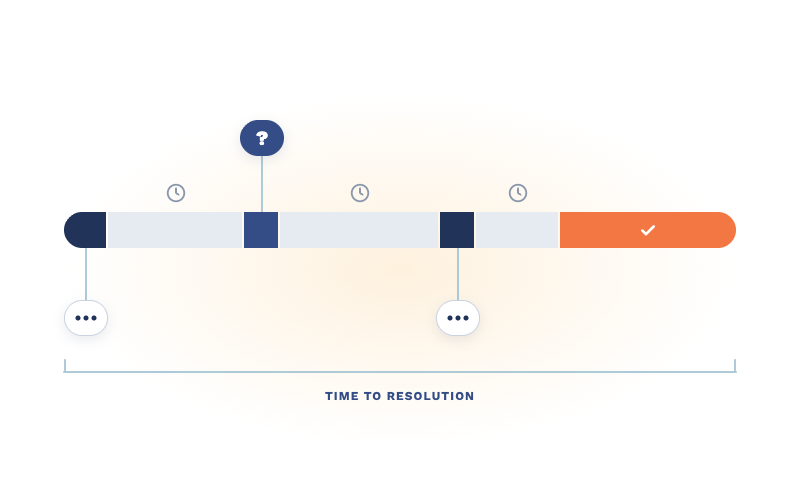
You know the email. "Any update on this?" Four words, and it lands in the inbox of whoever is nearest the service desk.
Every MSP has a ticket that reads "new hire starting Tuesday, needs a laptop." It's not wrong. It's just not finished.
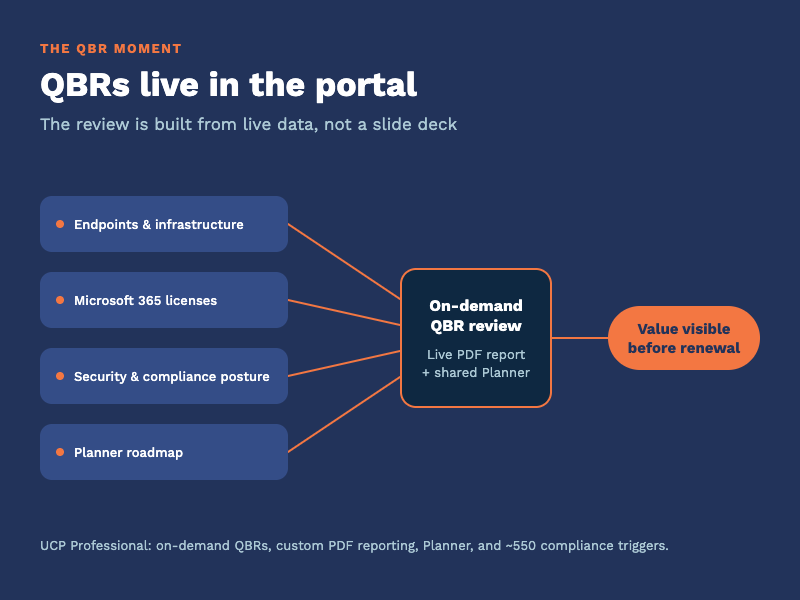
Every quarter you sit across from a client and answer one question, spoken or not: what are we paying you for? The quarterly business review is where...