





 CloudRadial
MSP Automation Has a Harness Problem, Not an Automation Problem
Rewst, Pia, or AutomationAI: which one wins? That was the question behind our latest webinar. The honest answer: the automation itself matters less...
@2x.png)
Ticket triage doesn't get much attention. It's the work between a request showing up and someone actually fixing it, and it's easy to treat as a chore you get through each morning.
But a lot of what makes triage slow and uneven isn't the work itself. It's a handful of beliefs about how triage is supposed to work. They're easy to pick up and hard to notice.
Here are five we think are worth letting go of, and what to try instead.
It's natural to think of triage as something that happens in the queue. A ticket arrives, someone reads it, someone sorts it.
By then, the hardest part is already baked in. If the ticket says "Outlook issue" and nothing else, no amount of sorting skill fixes that. Someone has to go back to the user and ask. Is it one person or the whole office? Since when? What changed?
Triage really starts at intake, before the ticket exists. That's where CloudRadial ChatAI fits. It meets end users in Microsoft Teams, Slack, the web, SMS, or the CloudRadial portal, identifies them against your PSA, and runs a structured dialog to gather the specifics. On ChatAI Pro and above, the AI Responder interviews the user, summarizes the conversation, and writes a sharper ticket before a technician picks it up.
Plan around the tiers: Chat Starter is free and doesn't include AI, so the AI Responder is a Pro-and-up feature. Teams and Slack need admin consent during setup. And you don't have to staff a live chat queue. A user can log a complete ticket through chat without a live conversation ever opening.
For predictable requests, forms do the same job. We covered that in request forms that produce complete tickets.
@2x.png?width=1600&height=1200&name=Image%201%20%C2%B7%20Chat%20intake%20to%20ticket%20(800%C3%97600)@2x.png)
Ask who handles triage and the answer is often a name.
That's the catch. When triage lives with one person, so do the rules. They know this client's CFO always jumps the line, those backup alerts can wait until morning, and anything about payroll on a Friday is urgent. Nobody else does. So when they're out or slammed, the whole queue feels it.
Triage isn't a person. It's a set of decisions your whole team should be able to make the same way. Write them down in plain language:
Once it's written down, anyone covering dispatch can reach the same call.
It's tempting to start with the tool. We'd start somewhere else.
AI triage runs on rules and history. If your categories are fuzzy and your priorities live in someone's head, a tool will just inherit the fuzziness.
Do the unglamorous part first. Tighten up your categories. Write down the rules from myth 2. Pull a few recent tickets that got recategorized or reassigned after they were created, and ask what would have sent them to the right place the first time.
Then a tool has something real to work with. If you can't write a rule down, software can't follow it either.
It sounds efficient: catch requests early and stop them from ever becoming tickets.
We see it differently. The ticket is the record your service desk runs on. It's how work gets tracked, measured, and accounted for, so a request that never becomes a ticket is work you can't see.
That's why every ChatAI conversation creates or updates a ticket in your PSA, no matter how it ends. Good triage doesn't decide whether a request gets logged. It decides how complete the ticket is when it arrives and where it goes next.
We made the longer case in ticket quality, not ticket volume.
The worry is that turning on AI triage means handing over the queue. It doesn't have to.
CloudRadial ServiceAI works on tickets that already exist in your PSA, including the ones that come in by email or from monitoring and never touch chat. It can check for spam and duplicates, tidy the subject, set category and priority, and route using the plain-English rules you wrote down. It leaves a note on the ticket explaining what it did.
You decide how far it goes. Run it in test mode first and review its decisions before anything is written to your PSA. If you'd rather your team keep assigning tickets, leave assignment out of what it does. And because every decision is explained on the ticket, your techs can see what happened and change it. Each correction is a chance to sharpen your rules.
A few practical notes. ServiceAI is a separate product from ChatAI: ChatAI builds tickets from conversations, ServiceAI sorts them once they're in the PSA, and either one works on its own. Triage is capped on ServiceAI Professional and unlimited on Enterprise, so check pricing against your monthly ticket volume. And it learns from your ticket history and documentation, so cleaner history gives it more to work with.
Take the myths away and triage gets pretty simple:
@2x.png?width=2400&height=1000&name=Image%202%20%C2%B7%20Myth%20vs.%20try%20this%20instead%20(1200%C3%97500)@2x.png)
Want to see intake and triage working against your own PSA? Schedule a demo and bring a few tickets that got reassigned last week. We'll walk through how they could have arrived complete and where they'd land.
What is ticket triage in an MSP?
Ticket triage is the work of deciding what a new ticket is, how urgent it is, and who should handle it. That usually means checking for duplicates and spam, setting a category and priority, and routing it to the right queue or technician before any fixing starts.
Where does ticket triage actually start?
At intake. The detail a dispatcher needs is easiest to collect before the ticket is created, through a structured chat dialog or a well-built request form. Sorting a vague ticket after it lands means someone has to go back and ask.
Who should own ticket triage at an MSP?
A person should be accountable for it, but the rules shouldn't live only in that person's head. Write categories, priority triggers, and queue ownership down in plain language so anyone covering dispatch makes the same call.
Which AI tools can pre-triage tickets before they reach technicians?
They generally fall into two groups. Intake tools gather detail from the end user through chat or forms before the ticket is created. Sorting tools work on tickets already in the PSA, setting category, priority, and routing. CloudRadial ChatAI covers intake in Teams, Slack, web, SMS, or the portal, with the AI Responder on ChatAI Pro and above (Chat Starter is free and doesn't include AI). CloudRadial ServiceAI sorts existing tickets using plain-English rules, with triage capped on Professional and unlimited on Enterprise.
Should AI chat keep requests out of the ticket queue?
We'd argue no. Every request should still be logged, because the ticket is the record your service desk runs on. The better use of AI chat is gathering detail at intake so each ticket arrives complete and lands in the right place.
Can I try AI triage without giving up control of the queue?
Yes. Look for tools that let you review decisions before they're applied, limit what the tool is allowed to change, and show their reasoning on the ticket. CloudRadial ServiceAI can run in test mode so you review its decisions before anything is written to your PSA, and you can leave ticket assignment with your team.
@2x.png)
Rewst, Pia, or AutomationAI: which one wins? That was the question behind our latest webinar. The honest answer: the automation itself matters less...
@2x.png)
A user can't log in. Something's off with their account. You ask your AI agent to fix it.
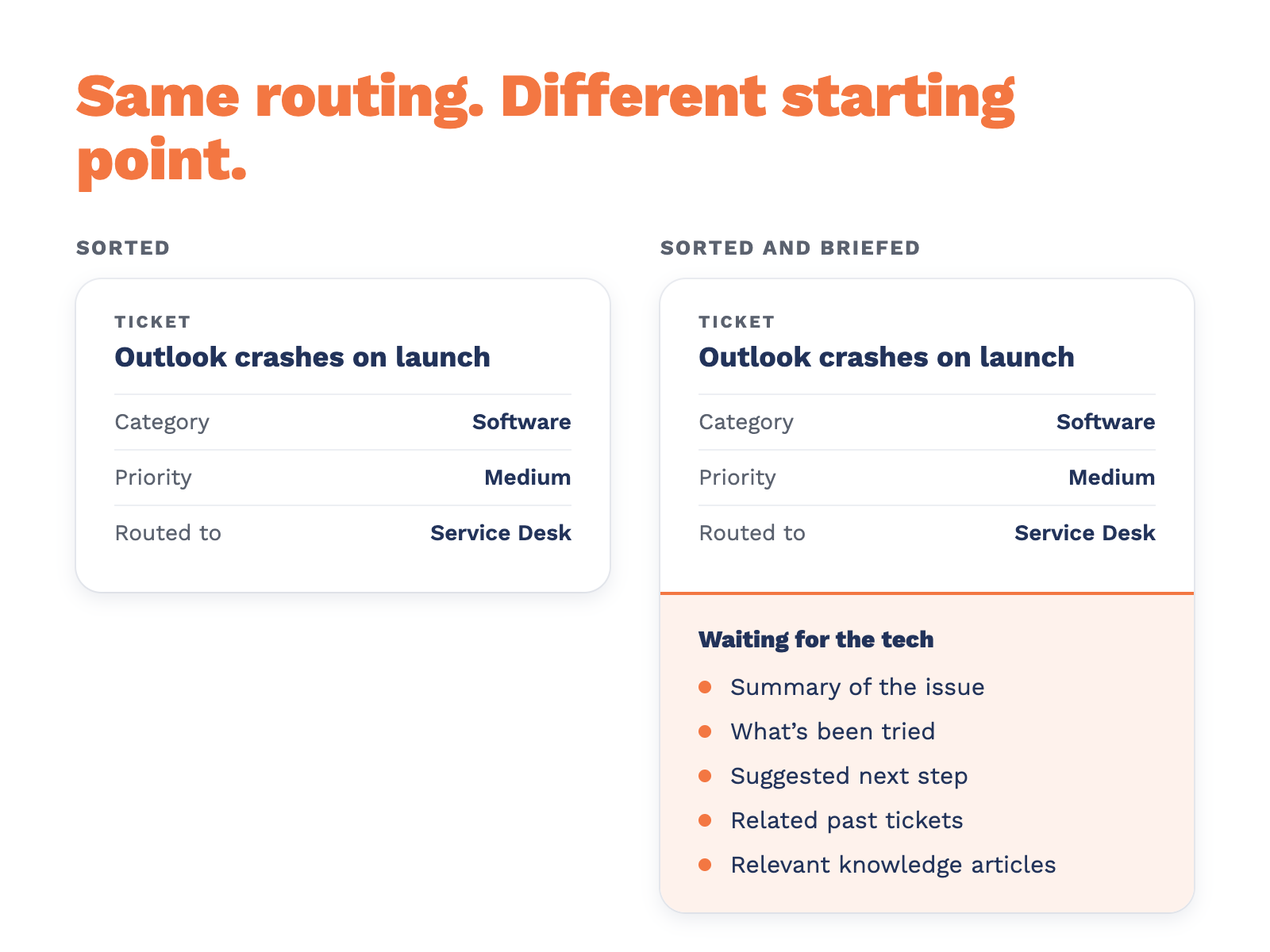
Most PSAs and service desk platforms can classify a ticket with AI now. Sorting is close to solved. The question worth asking in 2026 is what happens...